
 In parts one and two of this article I blogged, extensively and laboriously, about database consolidation. I talked (at length) about the business drivers for this industry trend, then went on to discuss (for some considerable time) the technical challenges. I even droned on about the different design choices faced by enterprises who are about to embark upon a database consolidation exercise.
From this we can conclude a number of things, not the least of which is that I write too much. This is particularly true because none of what I’ve actually written so far contains any of the things that made me want to start blogging about database consolidation… I’ve saved all of those until now. We also concluded that consolidation is about cost reduction combined with increased manageability. I expanded on the manageability piece to encompass standardisation, agility and reduced complexity. But what about that cost reduction bit? If you cannot achieve cost reductions, where is the justification for all of this change?
Capacity: Enough – But Not Too Much
Part three is all about capacity. Not (just) as in disk space, but as in the amount of finite resources available. With any consolidation exercise the idea is always the same: take a large estate of disparate systems and condense them into a smaller, better-managed offering with clearly-defined service levels. That word “condense” is the key, because you aren’t just trying to join up the dots. If you go from having 100 databases all on their own dedicated servers, to having 1 uber-server running all your databases, that’s not necessarily a good thing. Not if that uber-server costs 100 times more than the original servers and takes up 100 times more floor space, uses 100 times more power etc. The true saving comes when you compare what you have to what you need… and discover a difference.
 Of course, things are never that simple, because what you need is hardly ever constant. For any specific resource you can probably define an average requirement e.g. on a usual day I need this much processing power, this many I/Os to be serviced per second from my storage etc. But what about peaks? Each system has a time when it is at the peak utilisation of its resources, so during these peak times how big is the gap between the average and the maximum? These peaks can come in all sorts of forms, from daily schedules (e.g. logon storms caused at the start of new shifts on a call centre CRM system) to seasonal events (university enrolment or tax submission systems where users have an annual deadline).
Let’s consider ten databases which need to be consolidated. For simplicity we’ll assume that they are all identical in their behaviour and requirements. These ten databases run on ten identical servers, each with a capacity to deliver 10 of something. Let’s not worry about what that something is, whether it’s a specific property such as CPU, memory, etc; let’s just keep this generic and say that whatever it is can be measured. So our total capacity is 100. Now each database has an average requirement for 6, so if we were to consolidate then on average we need to be able to supply 60. That means I could potentially think about reducing my server requirements for the consolidation platform down from 100 to nearer 60. However, at peak times each database utilises up to 9. So actually, if all of these databases were to require their peak capacity at the same time (which they would, because I said they were identical) then I would need at least 90 or I would be unable to service the requirement. The trick with consolidation is to recognise that not all of your systems are likely to need their peak requirements at the same time. Thus with enough information I am able to take a well-educated and considered judgement (or alternatively a reckless gamble) that the combined load of all of my consolidated systems will never reach the theoretical maximum, therefore building a system that is smaller than the sum of its parts. This practice is known as overcommitting.
Overcommitting Resources
Now that we have the concept of overcommitting loosely defined, let’s think about which resources can be overcommitted. Incidentally, in the world of virtualisation, overcommitting is a long-standing concept. In fact, even in the world of Oracle we have already bumped into it in areas such as Instance Caging (although Oracle calls it “over-provisioning”, a term which means something different in the storage industry).
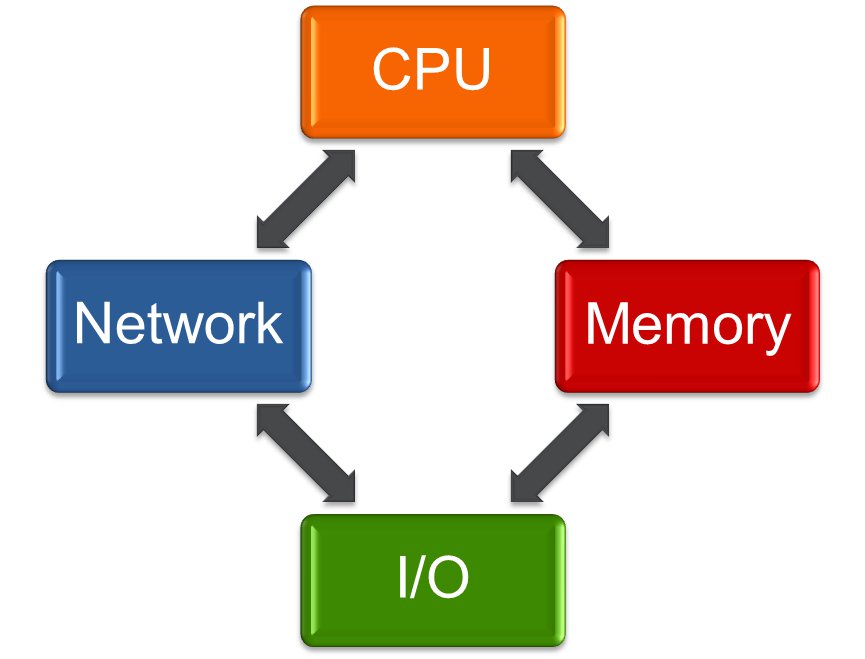 At a high-level we have the following resources to consider:
- CPU
- Memory
- I/O
- Network
Of course I/O can mean more than one thing. Obviously there is the total storage capacity required, but you also need to consider the I/O demand in terms of how much data can be delivered and at what latency. More on that later.
Now if you are new to database consolidation you may be tempted to think that CPU and I/O are going to be the main areas for concern, but actually by far the most common problem is memory. The reason for this is that CPU consumption and I/O rates tend to vary over time for each database, to the point that (if you choose your applications wisely) you are unlikely to see every database demand its peak requirement at the same time. This means you can overcommit, bringing you considerable infrastructure savings. But if you think about the memory components of a database, namely the SGA and PGA, how can consolidation help you achieve a saving there? One possible solution could perhaps be to use Oracle’s Automatic Memory Management feature to try and limit the size of each instance’s memory footprint but then overcommit the maximum sizes to allow them to grow when they need it. Good luck with that. The risk of every instance ballooning up to its full size is palpable (and my years working for Oracle have resulted in a deep mistrust of AMM and its predecessor ASMM…)
The answer to this issue is flash memory. Not just for the memory issues but for CPU and (perhaps obviously) I/O as well. Flash memory allows you to achieve a greater density of database consolidation. In part four I’ll explain why…
[But first, a small apology. There is a fourth bullet point up there which says “Network”. I don’t have much to say on networking when it comes to consolidation… in fact I often don’t have much to say on networking at all. My experience of working with network operations teams has generally led me to conclude that they don’t actually exist. Instead, they seem to have been replaced by automatic email response systems which wait a predefined amount of time and then reply with the message, “There are networking issues…”. And yes, I am aware of how lame this excuse is, but I’m sticking with it.]




 flashdba